
Online AI Photo to Coloring Page Generator

Upload a photo, choose a style, and download a printable coloring page.

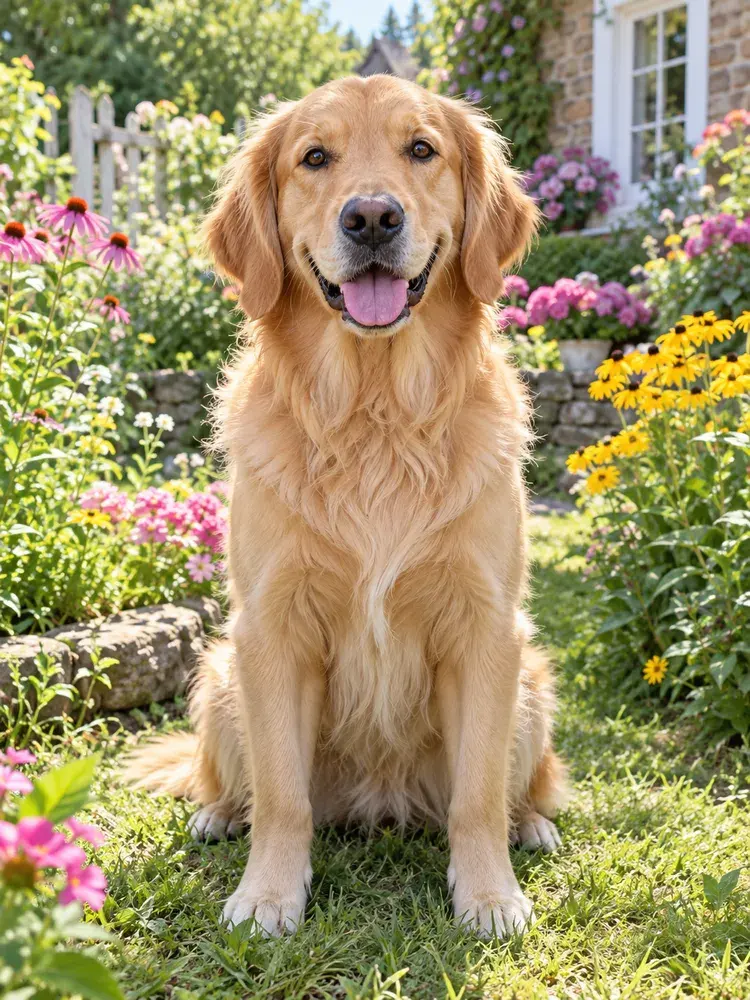
BeforeOriginal golden retriever photo in a flower garden
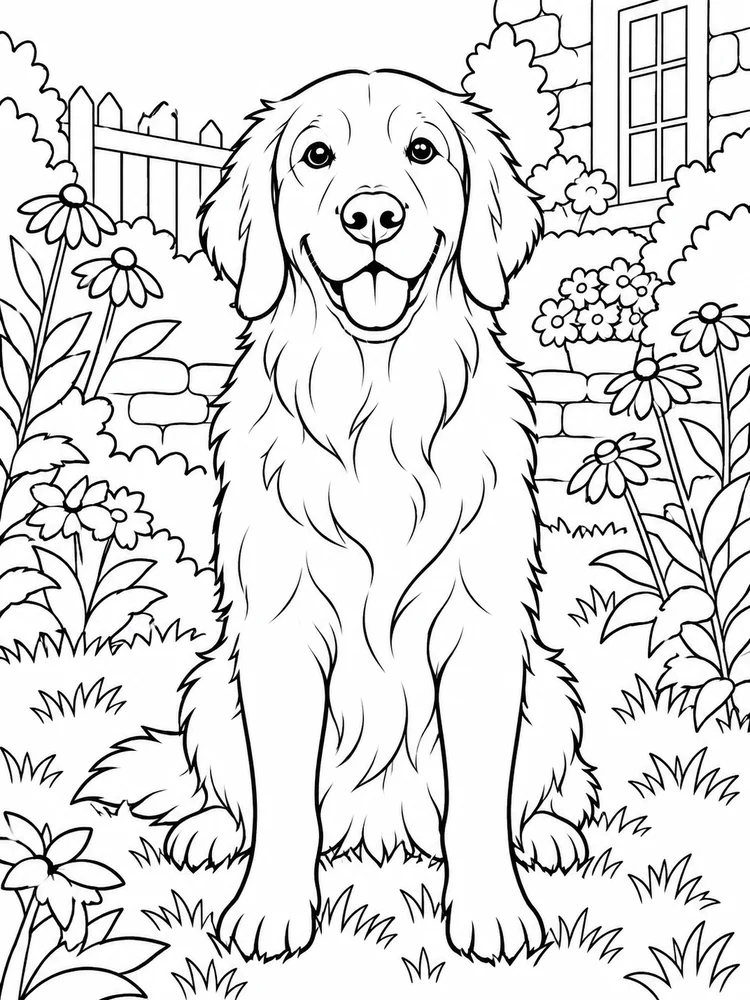
AfterBlack and white printable coloring page

Recent creations

View all →
No creations yetYour generated pages will appear here.

Turn Photo to Coloring Page

Turn a favorite picture into printable line art without tracing by hand. Choose a drawing style, decide whether to preserve, simplify, or remove the background, then set the page ratio and Quality tier. Preview the photo to coloring page result before downloading a PNG or A4 PDF.

Turn My Photo into a Page
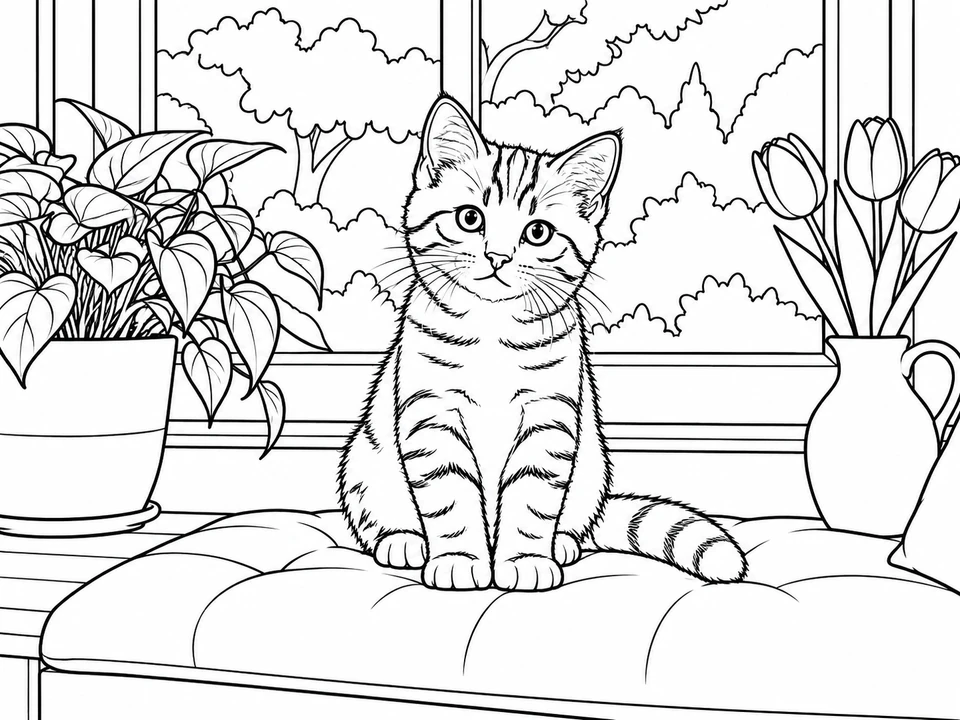
Black-and-white coloring page of the same kitten, cushion, plants and tulips
Ginger kitten on a blue window cushion beside plants and tulips, original photo

See Your Photo to Coloring Page Transformation

See how familiar shapes become outlines with room for color. Explore these transformations, then try your own picture.

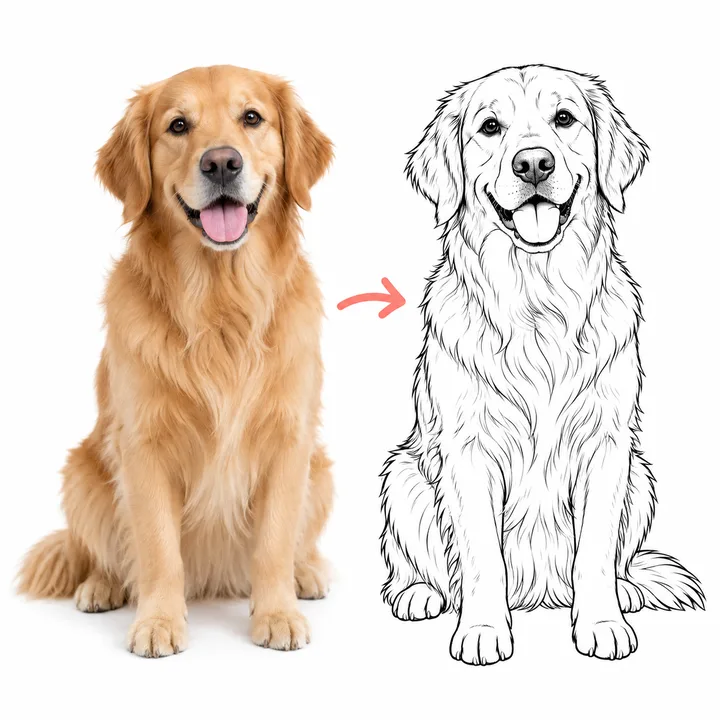
Golden retriever portrait beside its black-and-white coloring page outline
BeforeAfter

Recognizable outlines

The face, ears, and body become distinct outlines, with space inside for your own colors.

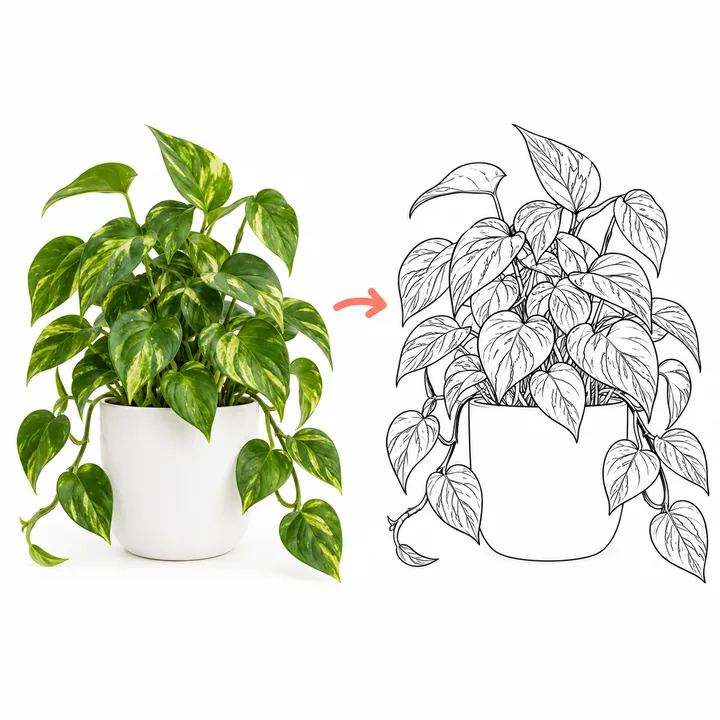
Potted trailing plant beside a leaf-by-leaf black-and-white coloring page outline
BeforeAfter

Details with room to color

Leaf edges and stems structure the drawing, while open areas between the lines leave room for color.

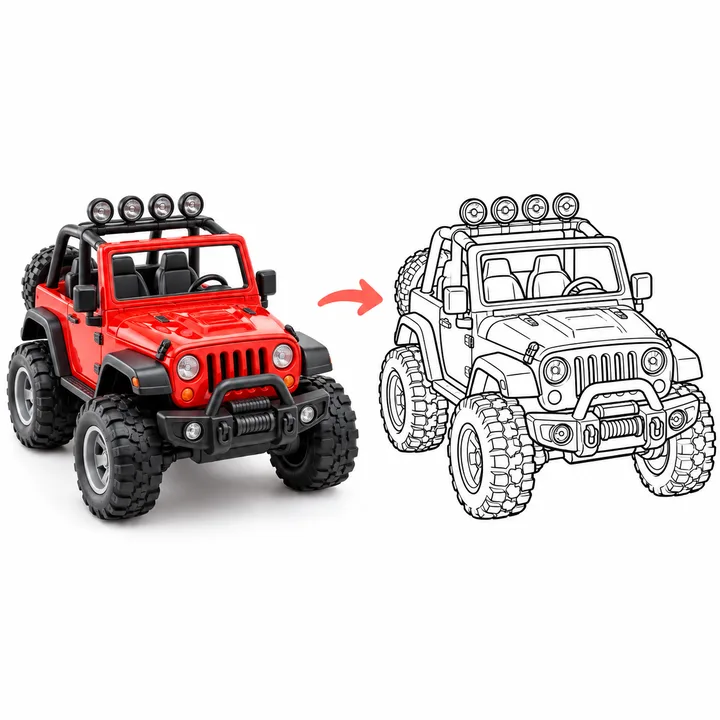
Red toy off-road jeep beside its black-and-white coloring page outline
BeforeAfter

Clear shapes and open space

Wheels and body panels become separate areas to fill in at your own pace.

How to Turn a Photo into a Coloring Page

  1. 1

    Upload a picture you love

    Upload one JPG, PNG, or WebP image up to 10 MB. Drag it into the upload area on a computer, or tap Choose a photo on a phone.

  2. 2

    Make the page your own

    Choose your settings, sign in, check the credit cost on the button, and generate. Start with the initial settings if you are unsure, then refine them after seeing the result.

  3. 3

    Preview, download, and color

    Preview the completed page, then download PNG or PDF. Find finished pages in Recent creations. Generating again uses credits; downloading an existing page does not add a generation charge.

More Ways to Shape Your Coloring Page

Find the Line Art Style That Fits

Style, background, and page shape each change a different part of the result. Choose them to suit your subject and how you want the finished coloring page to feel. Compare the examples, then fine-tune these choices in the editor.

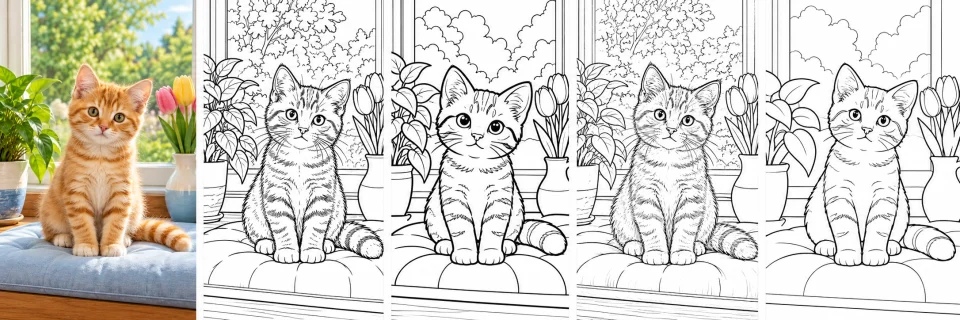
  • Compare four takes on the same photo, from Classic balanced lines to Cartoon’s rounded shapes and broader coloring areas.
  • Realistic Sketch keeps finer, recognizable contours, while Minimal Outline clears small details for more open coloring spaces.
  • Each preset pairs its own line character with coloring-friendly detail, so you can choose a look without tracing by hand.
  • See how one subject can feel detailed, playful, or simple while the original pose stays easy to recognize.
Compare the Styles
Illustrative ginger kitten photo beside four black-and-white coloring page styles: Classic, Cartoon, Realistic Sketch, and Minimal OutlineOriginalClassicCartoonRealistic SketchMinimal Outline
Choose How Much of the Scene to Keep

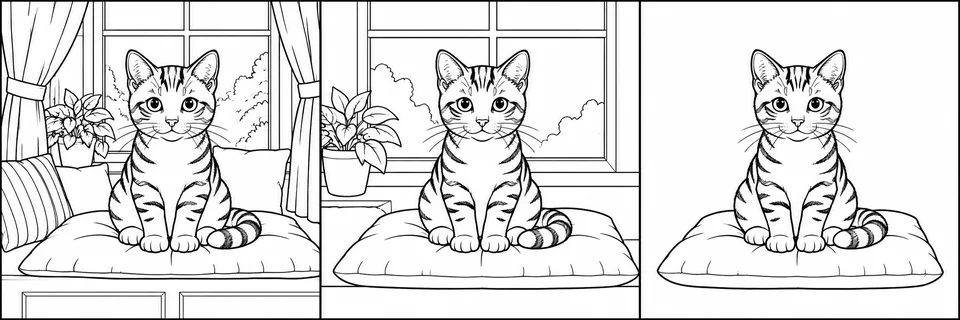
  • Preserve carries more of the original setting into the page, keeping meaningful surroundings with the subject.
  • Simplify reduces busy background elements while leaving enough scene context to make the picture recognizable.
  • Remove clears away the surrounding scene so the main subject has more visual focus.
  • Background handling works independently of style, so pair your preferred line art with the amount of scene you want.
Set the Background
Three coloring page examples show a full room scene, a simplified background, and the main subject on white
PreserveSimplifyRemove

Choose a Page Shape for Your Photo

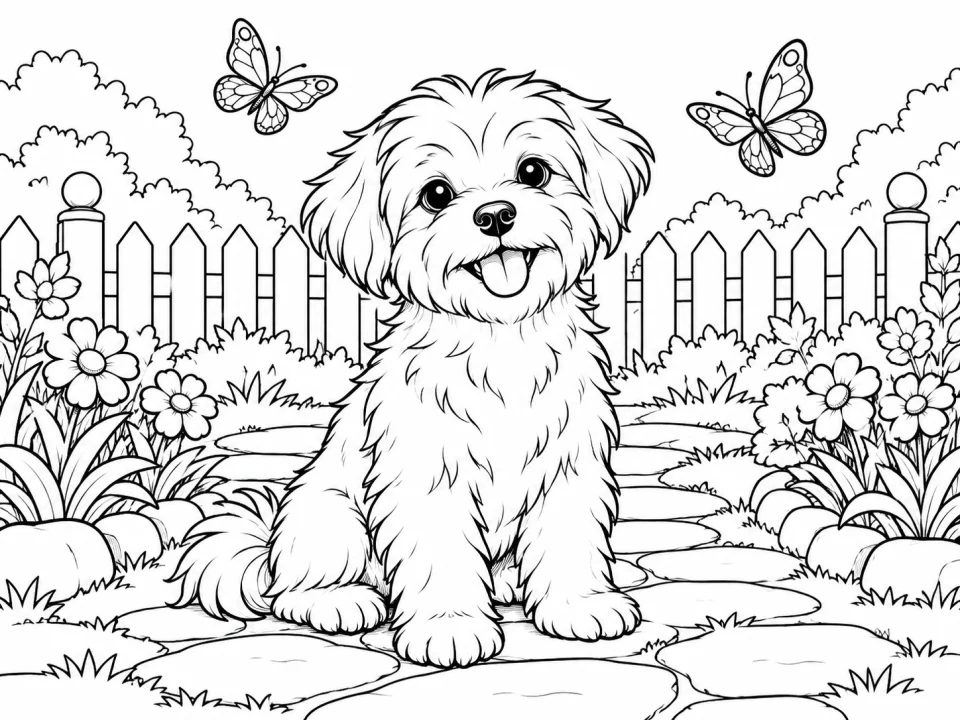
  • Auto follows your source photo’s proportions, starting with the framing you uploaded.
  • Manual ratios guide the new composition toward a wide, tall, or square canvas that suits your subject.
  • Choose 4:3, 3:4, 1:1, 9:16, or 16:9, then review the preview before generating.
  • Choose Standard 1K, Pro 2K, or Ultra 4K Quality to set the output pixel size for your intended use.
Choose a Page Shape
Illustrative black-and-white landscape coloring page of a small dog sitting on a garden path with flowers and butterflies

Get Better Results from Your Photos

01

Choose a clear main subject

Pick a photo where the person, pet, or object is easy to recognize and fills a useful part of the frame.

02

Look for good light and sharp focus

Even light and crisp edges help separate the subject from nearby objects. Blur and deep shadows can hide important contours.

03

Match background handling to the scene

Keep a useful setting with Preserve, reduce visual clutter with Simplify, or focus on the foreground with Remove.

Photo to Coloring Page FAQ

Try the Photo to Coloring Page Converter

Choose a favorite picture, try a style, and give a familiar moment a fresh set of colors.

Coloring sheets and pencils beside the invitation to create a page